Meet the AirCube Reference to Video Generator
Reference to video fixes AI video's biggest problem: consistency. Upload reference images and AirCube generates footage that stays true to your character, product or style — across takes, scenes and models. Different engines respect references differently, so compare them on one screen.
 Seedance
 Kling
Kling Wan
Wan Hailuo
 Vidu
Vidu PixVerse
 Veo
Veo SoraSeedanceKlingWanHailuoViduPixVerseVeoSoraSeedanceKlingWanHailuoViduPixVerseVeoSoraSeedanceKlingWanHailuoViduPixVerseVeoSora
Maintain Perfect Subject Consistency Across Frames
Clips generated with reference to video models — identity and style held in every frame.
Identity that holds
Same Face, Same Product, Every Frame
Reference to video generation anchors the model to your uploads — a brand mascot, a founder's face, a product hero shot — so the output doesn't drift into a stranger halfway through the clip.
- Character consistency across shots and scenes
- Product-true colors, shapes and logos
- Style references for a consistent brand look
Built for series content
Introduce Your Character into Any Scene
Serial content lives or dies on consistency — episode two must look like episode one. Reuse the same references across reference to video generations to build campaigns, storylines and product lines that feel coherent.
- Reuse references across unlimited generations
- Mix reference guidance with text direction
- Works with 5–15s takes at up to 1080P
A Powerful Reference to Video AI for Every Creator and Business
Brand managers
Your mascot, on model in every video
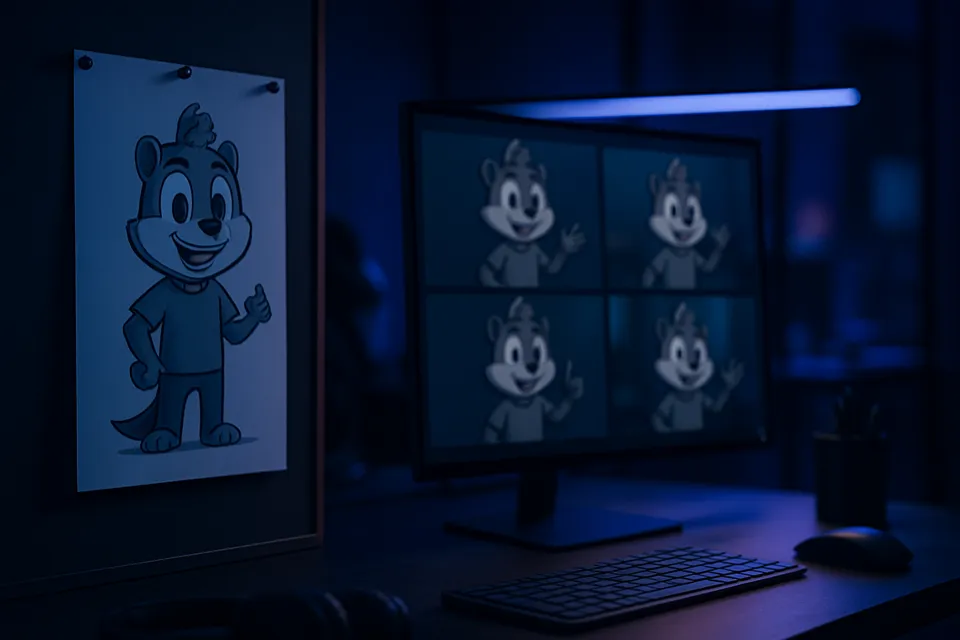
Upload the character sheet once and reference to video keeps your mascot on brand across every campaign clip — same proportions, same colors, same personality, from launch video to seasonal promo.
How to Create Consistent Videos with Reference to Video
Three steps from a still reference to consistent motion.
- 01
Upload references
Add one or more images of your subject — character, product or style frame.
- 02
Direct the shot
Describe the motion and scene; pick a reference-aware model.
- 03
Generate consistently
Every take stays anchored to your reference. Re-roll, refine, export.


Helpful Resources About AI Video Generation
Real tests, comparisons and guides from the AirCube Hub.
Reference to Video, Answered
What is reference to video?
Reference to video generates footage guided by images you upload. Instead of describing your subject in words and hoping the model gets it right, you show it — and the output stays consistent with the reference across frames and takes.
How is reference to video different from image to video?
Image to video animates a single still frame — your image is the first frame. Reference to video uses images as identity and style anchors: the model composes new scenes and motion while keeping the subject faithful to your references.
What makes a good reference image?
Clear, well-lit shots of the subject from a representative angle. For characters, a clean face shot works best; for products, a hero image on a simple background. You can add multiple references to lock identity further.
Which models support reference to video?
On AirCube, reference-guided generation runs on Seedance, Kling, Wan, Hailuo and more — and the model picker shows exactly what each engine supports so you can compare results side by side.
How many reference images should I upload?
Start with one clean, representative shot — that's enough for most reference to video generations. Add two or three more angles when identity drifts: a front-facing portrait plus a profile locks a character much harder than a single photo.
Can I combine reference to video with text prompts?
Yes — the reference anchors who or what appears, and your text prompt directs the scene: motion, camera, lighting and mood. That combination is what makes reference to video work for storyboards and campaigns.
Can I use reference to video commercially?
Yes — generated videos can be used in commercial projects subject to each model provider's terms. Make sure you hold the rights to any reference images you upload.
Get started
Your character, in motion
Upload a reference and see it move — consistently, on 450+ models.