AI Motion Generator API: Controlling Camera and Subject Motion in Generated Video
Motion is the hardest part of AI video to get right. This guide covers the controls you actually have through an API: how to describe camera and subject movement, how to copy motion from a reference video, and how to build sequences longer than one clip.
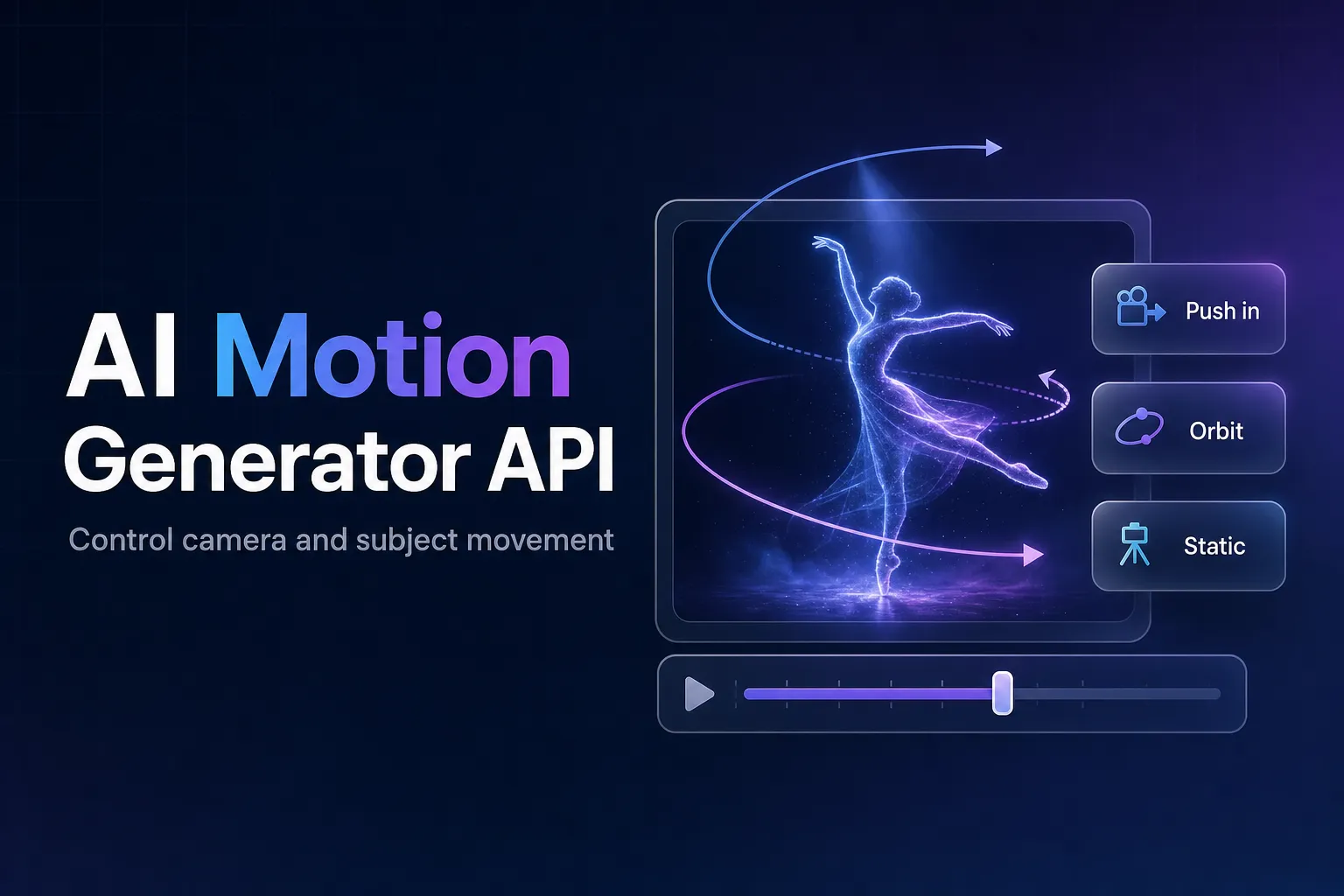
The difference between an AI clip that looks generated and one that looks filmed is usually the motion: whether the camera moves with intent, whether people move with weight, whether the background holds still when it should. An AI motion generator API gives you three levers for that: the prompt, reference media, and how you chain clips together.
This guide covers each of them with code against the AirCube API, which exposes the video models from Seedance, Kling, Veo, Wan, Luma and others behind one key.
The short version
Describe camera moves and subject moves separately in the prompt, using film vocabulary, and do not push both hard in the same shot. To copy a specific movement, send it as a reference video to reference-to-video on Seedance 2.5 or Wan 3.0. For sequences past one clip's length, use video-extend or chain clips from the last frame.
Describing motion in the prompt
There is no numeric "motion strength" setting in a typical video API request. On AirCube the request carries the prompt, the source media, duration, aspect_ratio and resolution, and all motion direction goes through the prompt. That makes the wording matter.
Separate the camera from the subject. Write one clause for each:
- Camera: "static camera", "slow push in", "dolly left", "low-angle tracking shot", "slow orbit around the subject", "handheld, slight shake".
- Subject: "the runner accelerates out of the blocks", "leaves drift down past the window", "she glances over her shoulder".
Keep the pair modest. A fast camera move combined with fast subject motion is the most reliable way to get warped limbs and smeared backgrounds. If the action is big, keep the camera calm ("static camera", "slow pan"); if the camera move is the point, keep the subject's motion small.
Give the motion a speed and an end state. "The door swings fully open over three seconds" produces cleaner motion than "the door opens", because the model knows both the pace and where the movement should finish.
Match the duration to the action. One clear movement fits a 5-second clip. Asking for several distinct actions in 5 seconds compresses them into something frantic; ask for 10 seconds or split them across clips.
Starting from an image
When the look must be exact, generate or upload the first frame and animate it with image-to-video. The model then only has to invent the motion, not the scene. See the image to video API guide for preparing source images.
Copying motion from a reference video
Sometimes describing a movement is harder than showing it: a specific dance, a product reveal, a camera path from an existing shot. The reference-to-video task accepts reference videos alongside reference images, and the prompt points at them with tags like @Video1 and @Image1.
import os
import time

import requests

API_KEY = os.environ["AIRCUBE_API_KEY"]
BASE = "https://aircube.ai/api/v3"
HEADERS = {
    "Authorization": f"Bearer {API_KEY}",
    "Content-Type": "application/json",
}

response = requests.post(
    f"{BASE}/seedance-2.5/reference-to-video",
    headers=HEADERS,
    json={
        "prompt": "@Image1 performs the same dance moves as @Video1, on a rooftop at sunset, static camera",
        "reference_images": ["https://example.com/refs/dancer.jpg"],
        "reference_videos": ["https://example.com/refs/dance-moves.mp4"],
        "duration": "5",
        "resolution": "720p",
    },
    timeout=30,
)
response.raise_for_status()
generation_id = response.json()["data"]["id"]

while True:
    data = requests.get(f"{BASE}/status/{generation_id}", headers=HEADERS, timeout=30).json()["data"]
    if data["status"] in ("completed", "failed"):
        break
    time.sleep(5)

print(data["status"], data["output_url"])
A few things to know:
- Which models take reference videos. Seedance 2.5 and Wan 3.0 accept them. The Seedance 2.0 models, Wan 2.6 and Veo 3.1 also offer
reference-to-video; use them when your references are images. - Reference video is billed by length. On top of the clip price, reference video input is charged per second, for example $0.42/s on Seedance 2.5 and $0.10/s on Wan 3.0 at 720p (October 2026). Trim the reference to just the movement you need; on Seedance, a reference shorter than two thirds of the output is billed as two thirds of the output.
- Limits. Up to 9 reference images, 3 reference videos and 3 reference audio clips per request, all as publicly reachable URLs. Details are in the reference media guide.
In a real application, cap the polling loop with a timeout and run it in a background worker, as shown in the text to video API guide.
Going longer than one clip
Most models top out at 10 or 15 seconds per clip; Seedance 2.5 and Wan 3.0 go to 30. For longer sequences:
- Extend. The Seedance models and Veo 3.1 support a
video-extendtask that takes an existing video and continues the motion. This gives the smoothest continuation. - Chain from the last frame. Grab the final frame (
ffmpeg -sseof -0.1 -i clip.mp4 -frames:v 1 last.jpg) and use it as the source image of the nextimage-to-videorequest. It works with every model, but expect a visible change in motion at the joins. - Cut deliberately. Real footage is made of shots. Several 5-second clips with clear cuts often look better than one long take that slowly drifts.
Which models to try for motion
Prices are for a 5-second 720p clip as of October 2026; see pricing.
| Model | API slug | Motion-related strengths | Max length | 5s at 720p |
|---|---|---|---|---|
| Seedance 2.5 | seedance-2.5 | Reference videos, extend, long takes | 30s | $3.50 |
| Wan 3.0 | wan-3.0 | Reference videos, long takes | 30s | $0.50 |
| Seedance 2.0 | seedance-2.0 | Reference-to-video, extend | 15s | $2.30 |
| Veo 3.1 | veo3.1 | Reference-to-video, extend | 10s | $1.20 |
| Kling 3.0 | kling-v3.0-pro | Text and image to video | 15s | $0.50 |
| Hailuo 02 | hailuo-02 | Cheap prompt testing | 10s | $0.30 |
The models catalog has sample clips for comparing how each one handles movement.
Is there a parameter to control motion strength?
Not in the AirCube API request. Motion is directed through the prompt (camera and subject movement), the source image, reference videos and the clip duration.
How do I make an AI video copy a specific movement?
Use reference-to-video with the movement as a reference video and refer to it in the prompt as @Video1. Seedance 2.5 and Wan 3.0 support reference videos; trim the reference to the part you need, since it is billed per second.
Why do faces and limbs warp in fast-moving shots?
Usually because the camera and the subject are both moving quickly. Keep one of them calm, give the motion a clear speed and end state, and use a longer duration for complex actions.
How do I make an AI video longer than 15 seconds?
Use a model that renders up to 30 seconds (Seedance 2.5, Wan 3.0), extend a clip with the video-extend task, or chain clips by using each clip's last frame as the next clip's source image.
Try motion control through the API
Reference videos, video extension and a dozen video models behind one key.