Text to Video API: A Developer's Guide to Async Video Generation (2026)
A practical guide to integrating a text to video API: how async generation works, working Python code against the AirCube API, how today's video models compare on length, resolution and price, and the mistakes that break production pipelines.
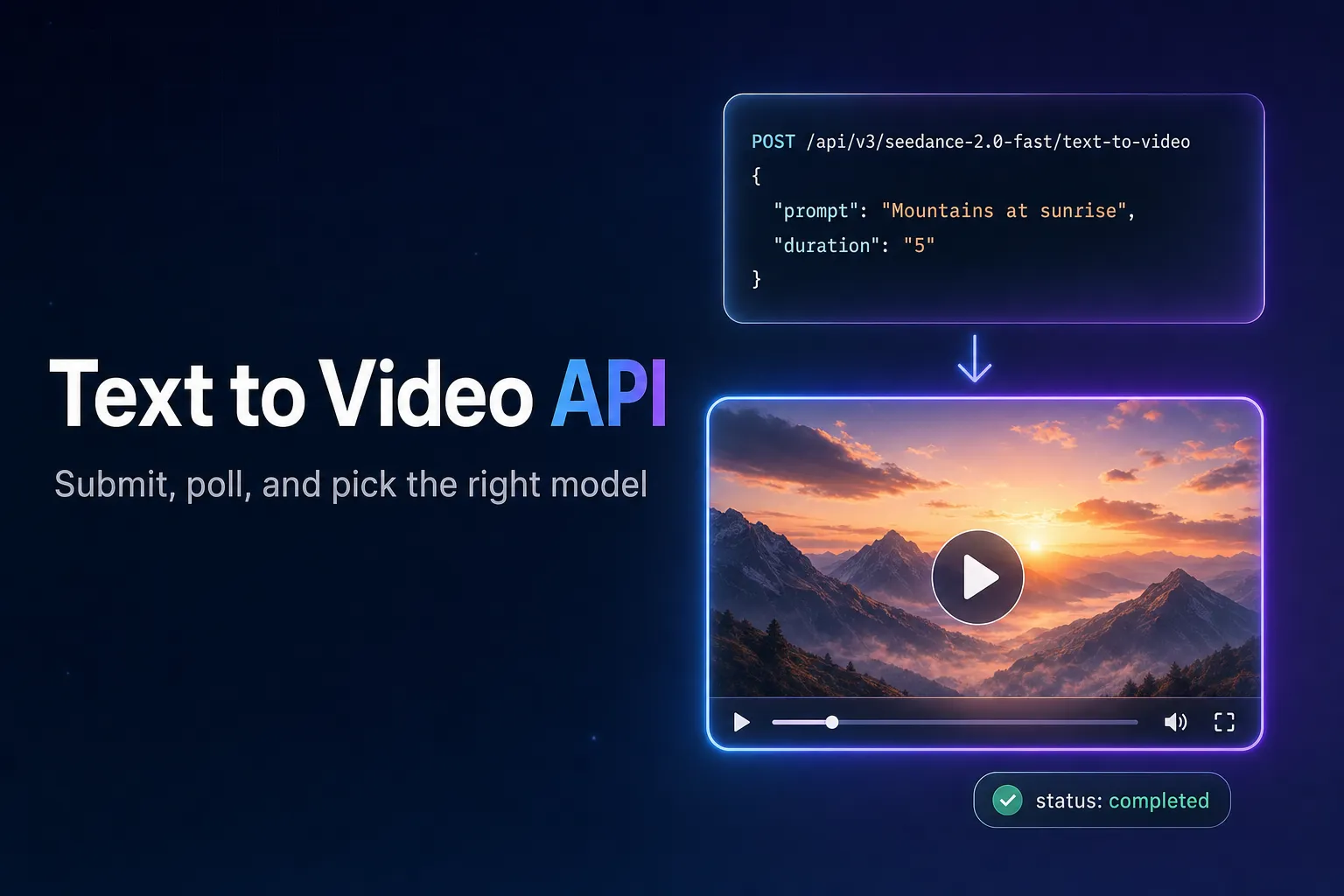
Calling a text to video API looks like any other HTTP request until you try to wait for the answer. A 5-second clip takes anywhere from about 30 seconds to several minutes to render, which is far longer than most gateways, serverless functions and browsers will hold a connection open. Every video generation API therefore works the same way: you submit a job, get an ID back immediately, and collect the result later.
This guide walks through that flow end to end with working code against the AirCube API, compares the text-to-video models you can call through it, and covers the problems that tend to show up only after launch.
The short version
Submit with POST /api/v3/{model}/text-to-video, keep the returned id, and poll GET /api/v3/status/{id} every ~5 seconds until the status is completed or failed. Start drafts on a cheaper model at 480p or 720p and save the expensive models and 1080p for the final render.
How a text to video API call works
A generation request goes through three stages:
- Submit. You send the prompt and options (duration, aspect ratio, resolution). The API validates them, charges the generation and returns
202 Acceptedwith a generationidandstatus: "processing". - Render. The model generates the clip in the background. Nothing is returned to you during this time.
- Collect. You poll the status endpoint with the
id. When the status becomescompleted, the response contains anoutput_urlyou can download from.
On AirCube the charge happens at submit time, and a generation that ends in failed is refunded automatically, so a failed render never costs you anything.
Submitting a job and polling for the result
Create an API key in your dashboard and export it as AIRCUBE_API_KEY. The model and the task are both part of the URL, so switching models is a one-word change.
import os
import time

import requests

API_KEY = os.environ["AIRCUBE_API_KEY"]
BASE = "https://aircube.ai/api/v3"
HEADERS = {
    "Authorization": f"Bearer {API_KEY}",
    "Content-Type": "application/json",
}


def submit(model: str, task: str, payload: dict) -> str:
    """Start a generation and return its id."""
    response = requests.post(f"{BASE}/{model}/{task}", headers=HEADERS, json=payload, timeout=30)
    response.raise_for_status()
    return response.json()["data"]["id"]


def wait_for(generation_id: str, interval: float = 5, timeout: float = 600) -> str:
    """Poll until the generation finishes and return the output URL."""
    deadline = time.time() + timeout
    while time.time() < deadline:
        response = requests.get(f"{BASE}/status/{generation_id}", headers=HEADERS, timeout=30)
        response.raise_for_status()
        data = response.json()["data"]
        if data["status"] == "completed":
            return data["output_url"]
        if data["status"] == "failed":
            raise RuntimeError(f"Generation {generation_id} failed (the charge is refunded)")
        time.sleep(interval)
    raise TimeoutError(f"Generation {generation_id} did not finish in {timeout}s")


generation_id = submit(
    "seedance-2.0-fast",
    "text-to-video",
    {
        "prompt": "A slow drone shot over a coastal town at golden hour, waves breaking on the rocks",
        "duration": "5",
        "aspect_ratio": "16:9",
        "resolution": "720p",
    },
)
video_url = wait_for(generation_id)
print(video_url)
The same request with cURL:
curl -X POST https://aircube.ai/api/v3/seedance-2.0-fast/text-to-video \
  -H "Authorization: Bearer $AIRCUBE_API_KEY" \
  -H "Content-Type: application/json" \
  -d '{"prompt": "A slow drone shot over a coastal town at golden hour", "duration": "5", "resolution": "720p"}'
Two details matter in production. The output_url is a signed link that stays valid for 7 days, so copy the file into your own storage if you need it longer. And duration is sent as a string ("5", "10"), with the allowed values depending on the model.
Choosing a text to video model
Every model below is called the same way; only the slug in the URL changes. Prices are for a 5-second clip at 720p as of October 2026. See pricing for the current numbers and the other durations and resolutions.
| Model | API slug | Clip length | Resolution | 5s at 720p |
|---|---|---|---|---|
| Seedance 2.5 | seedance-2.5 | 4–30s | 480p–1080p | $3.50 |
| Seedance 2.0 | seedance-2.0 | 4–15s | 480p–4K | $2.30 |
| Seedance 2.0 Fast | seedance-2.0-fast | 4–15s | 480p–720p | $0.66 |
| Seedance 2.0 Mini | seedance-2.0-mini | 4–15s | 480p–720p | $0.47 |
| Veo 3.1 | veo3.1 | 5–10s | 720p–1080p | $1.20 |
| Veo 3.1 Fast | veo3.1-fast | 5–10s | 720p–1080p | $0.60 |
| Luma Ray 2 | luma-ray-2 | 5–10s | 720p–1080p | $1.00 |
| Kling 3.0 | kling-v3.0-pro | 5–15s | 480p–1080p | $0.50 |
| Wan 3.0 | wan-3.0 | 4–30s | 480p–1080p | $0.50 |
| HappyHorse 1.0 | happyhorse-1.0 | 5–15s | 720p–1080p | $0.40 |
| Hailuo 02 | hailuo-02 | 5–10s | 480p–1080p | $0.30 |
How to narrow it down:
- Long single shots. Seedance 2.5 and Wan 3.0 render up to 30 seconds in one clip; most others stop at 10 or 15.
- Iterating on prompts. Draft on Hailuo 02, Seedance 2.0 Mini or Kling 3.0 at 480p or 720p, where each attempt costs well under a dollar, then re-run the winning prompt on the model you want for the final render.
- Highest resolution. Seedance 2.0 is the only model in this table that renders up to 4K.
The models catalog has sample outputs for each, and GET /api/v3/models returns the full list with the tasks every model supports.
Production pitfalls
Holding the request open
The most common failure is waiting for the video inside the request that started it. A serverless function or an API route that blocks until the render finishes will hit its timeout long before a 1080p clip is ready. Return the generation id to your client straight away, poll from a background worker (or have the client poll your backend), and only then attach the result to the user's project.
Polling too aggressively
Video renders take tens of seconds at minimum, so polling every few hundred milliseconds only burns your rate limit. Five seconds is a sensible interval for video. Always cap the total wait as well, so a stuck job cannot keep a worker busy forever.
Not retrying the right errors
Some failures are worth retrying and some are not:
429 RATE_LIMITEDand5xxresponses are temporary. Retry them with exponential backoff, waiting roughly 1s, 2s, 4s, 8s, plus a little random jitter so many workers do not retry in lockstep.400 VALIDATION_ERRORmeans the request itself is wrong (an unsupported duration, a missing prompt). Retrying will fail the same way, so log it and fix the input.402 PAYMENT_REQUIREDmeans the balance is too low. Stop and top up rather than retrying.
Rejected prompts
Video models run their own safety filters, and a prompt can be refused for content reasons even when the request is valid. Show the user a clear message when that happens instead of a generic error. If your app accepts user-written prompts, screening them before submission with a fast check such as AirCube's moderation endpoint, which answers synchronously in well under a second, saves the user a wait.
Paying for duplicates
Users often re-submit the same prompt with the same settings. Hashing the model, prompt and options and reusing a recent result for an identical request avoids paying for the same clip twice.
How long does a text to video API take to return a video?
Typically between 30 seconds and 5 minutes, depending on the model, the clip length and the resolution. That is why the API is asynchronous: you submit, receive an ID, and poll for the result.
Can I get the video back in the same HTTP response?
No. Rendering takes too long for a single request, so every text to video API returns a job ID first. Poll the status endpoint (every ~5 seconds for video) until the output URL is ready.
Which text to video model is the cheapest to test with?
In AirCube's catalog, Hailuo 02 ($0.30), HappyHorse 1.0 ($0.40) and Seedance 2.0 Mini ($0.47) are the cheapest for a 5-second 720p clip as of October 2026. 480p is cheaper still on the models that support it.
What happens if a generation fails?
Its status becomes failed and the charge is refunded automatically. Validation errors are rejected at submit time and are not charged at all.
Do I need a separate account for each video model?
Not with a unified API. One AirCube key and balance cover every model in the table above; you switch models by changing the slug in the URL.
Generate your first video with the API
Create a key, submit a prompt, and get a clip back in minutes. One key for every model in this guide.